
SFL – Soft-limit Enable/Disable
Gets/sets the enable [value] of the soft-limit function for [axis].
Access: Read/Write
Category: Motion
Applies to: All Commander Controllers
ASCII SFL[axis]
Syntax
Read
SFL[axis]
|
[axis] is set to X, Y, Z, U |
Write
SFL[axis]=[value]
|
[axis] is set to X, Y, Z, U [value] Valid values for SFL: 0 (disabled), 1 (enabled) |
Reply
Command is accepted and executed
Read
Returns 0 when disabled, 1 when enabled
Write
OK
Command cannot be processed
An error message is returned. See Error Codes
Example
Read
SFLY * Returns the status of the Y axis soft-limit function setting
Write
SFLX=1 * Enables soft-limit function for X axis
Notes
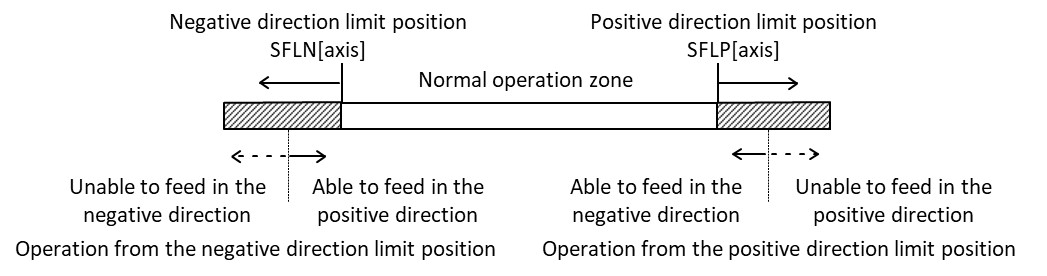
- Before enabling soft-limits, check that softLimitPositive SFLP[axis] and softLimitNegative SFLN[axis] are different and that the positive value is greater than the negative value. If not, an error is returned.
- Soft-limits act similarly to limit switches. While the controller will command a stop when a soft-limit is encountered, it is possible to overrun the soft limit. The amount the system can overrun the limit depends on the speed the motor is moving at when the soft-limit is encountered, and the mode selected for stopping the motor (SFLSD[axis]). As such, a safety buffer should be included in any any soft-limit settings.