
3.0 Connectivity
The Commander core connects to your system through 50-pin connectors with 1.27 mm pitch, which give you access to all of the signals.
- CMD-2CR and CMD-4CR have three connectors: CON1, CON2 and CON3.
- CMD-8CR has four connectors: CON1, CON2, CON3 and CON4.
How the connectors are named
Look at the unit from the underside (the connector side). The connectors are named by their position:
- CON1: the left set of pins
- CON2: the right set of pins
- CON3: the bottom set of pins
- CON4 (CMD-8CR only): the top set of pins
How pins are numbered
In this manual, each pin is written as the connector number, a dash, then the pin number on that connector. For example, pin 3 on CON1 is written 1-3, and pin 25 on CON3 is written 3-25.
Finding pin 1
The two figures below show the underside of each unit, with pin 1 of every connector marked. Use them to confirm the orientation before you design your board.
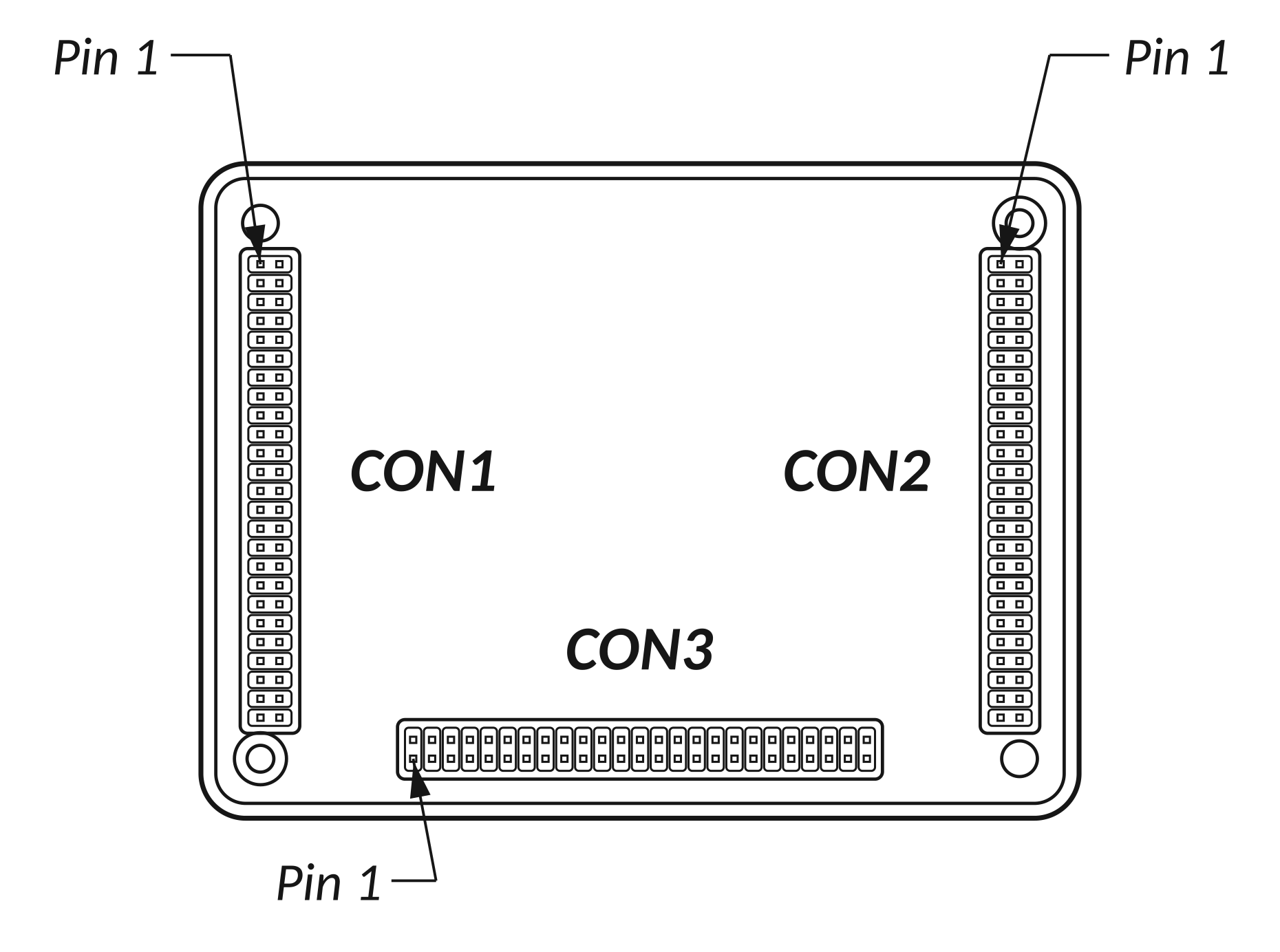
Figure: CMD-2CR / CMD-4CR, viewed from the underside
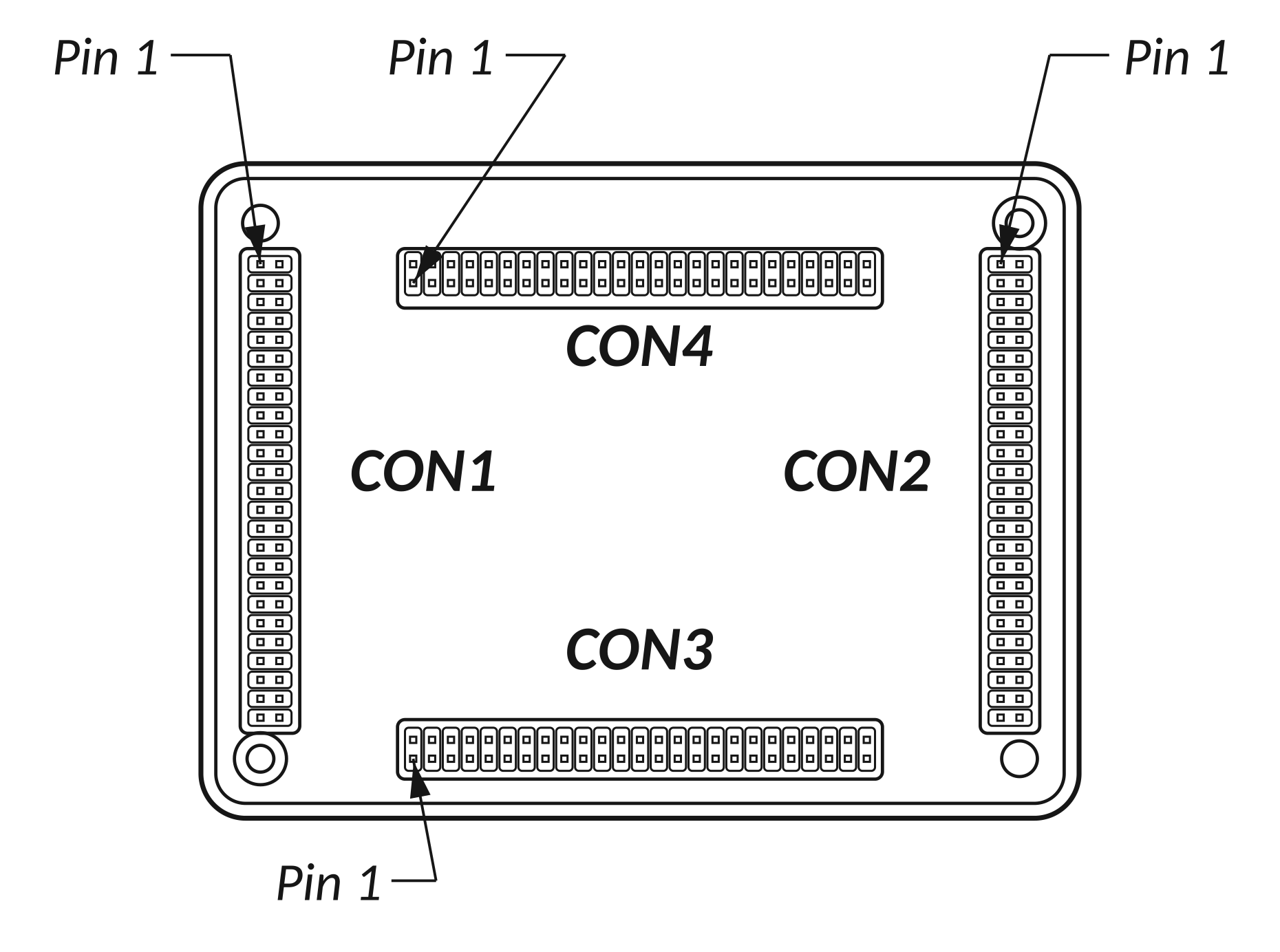
Figure: CMD-8CR, viewed from the underside
Note: The figures on this page show the underside of the unit. The diagrams in the next two sections are drawn as if you were looking down from the top and could see through the unit, so left and right are reversed compared with these figures.
Recommended mating connector
- Manufacturer: FCI
- Part number: 20021311-00050T4LF
Other compatible 1.27 mm connectors can also be used.
In this section
- Pin Numbering and Pinout Diagrams
- Pin Functions (Sorted by Function)
- Recommended PCB Footprint
- 3D CAD Models
< Previous Chapter | Topic Home | Home | First Section | Next Topic >