
2.0 Dimensions
Dimensional Drawings
The drawings below show the outline, mounting-hole locations and connector positions for the Commander controller core. This information is for designing the controller into your product. Select the drawing for your model:
Each drawing includes:
- The top (cover side) view and the connector side (bottom) view, with all four mounting holes dimensioned.
- The overall size: 59.00 mm × 44.00 mm × 7.00 mm [2.323 in × 1.732 in × .276 in].
- The position of each connector, with pin 1 marked, and the slot size and distance from the edges.
- A side view and a front view showing the thickness of the enclosure.
Units: Dimensions are shown in inches [in brackets] above millimeters. For example, [.157] over 4.00 means 0.157 in or 4.00 mm.
Tolerance: Unless otherwise noted, dimensions are ±0.1 mm [±.004 in].
Notes:
- The connector view is the bottom of the controller, seen from the connector side. It is mirrored left to right compared with the top view, so check which view you are using when you place your mounting holes.
- Pin 1 of each connector is marked on the drawing.
- Allow clearance for the connector bodies on the mating board.
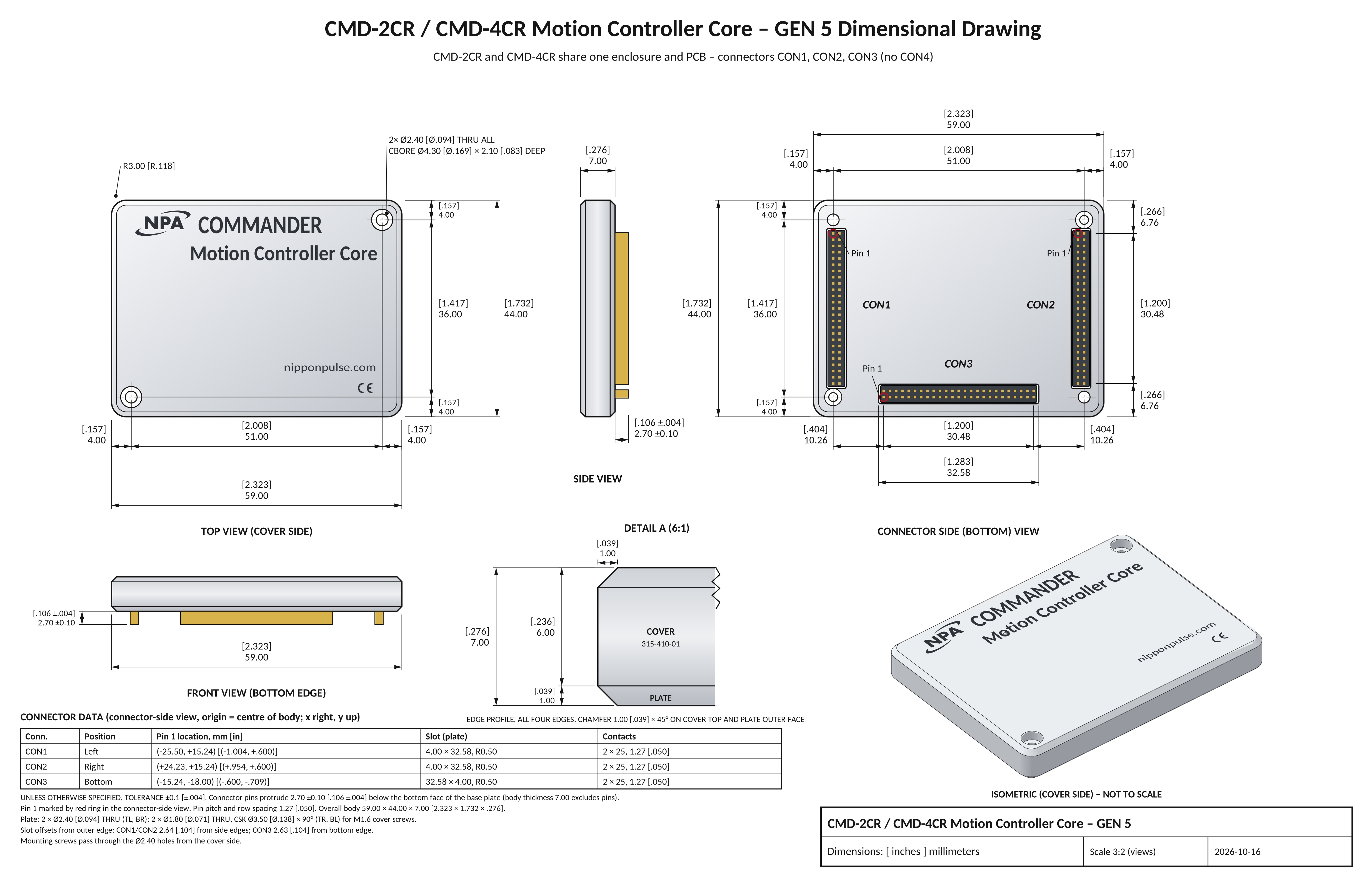
CMD-2CR / CMD-4CR dimensional drawing: top and connector-side views with mounting holes and connectors CON1–CON3. Dimensions are in inches [in brackets] over millimeters, tolerance ±0.1 mm. Download this drawing as a PDF.
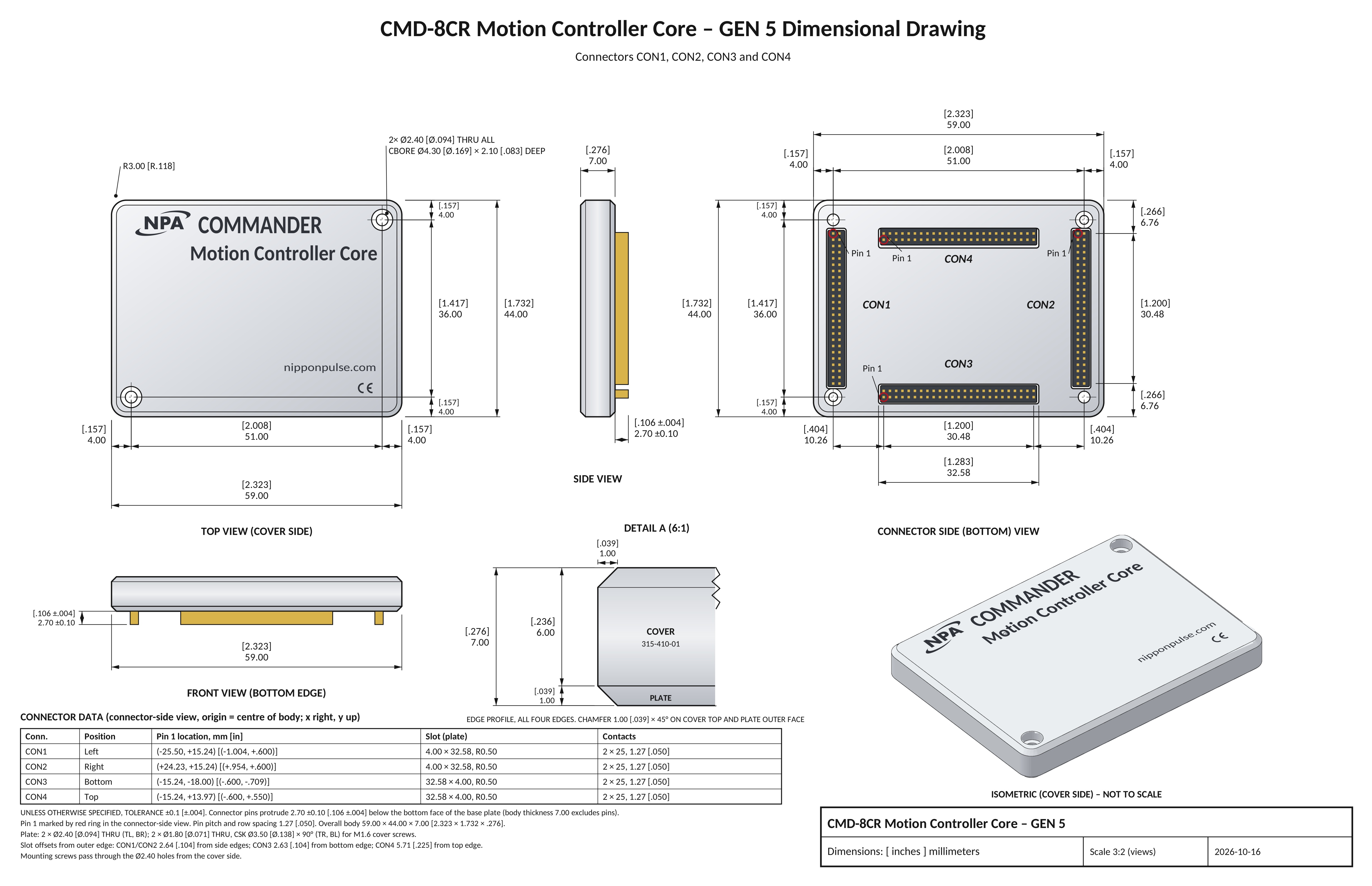
CMD-8CR dimensional drawing: top and connector-side views with mounting holes and connectors CON1–CON4. Dimensions are in inches [in brackets] over millimeters, tolerance ±0.1 mm. Download this drawing as a PDF.
< Topic Home | Home | Next Chapter >