
3.1 Pin Numbering and Pinout Diagrams
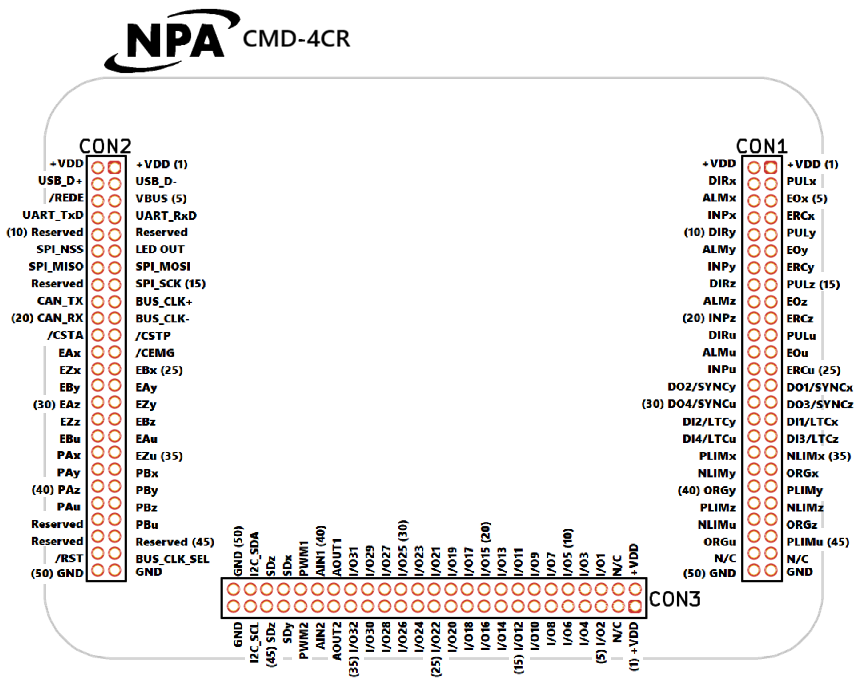
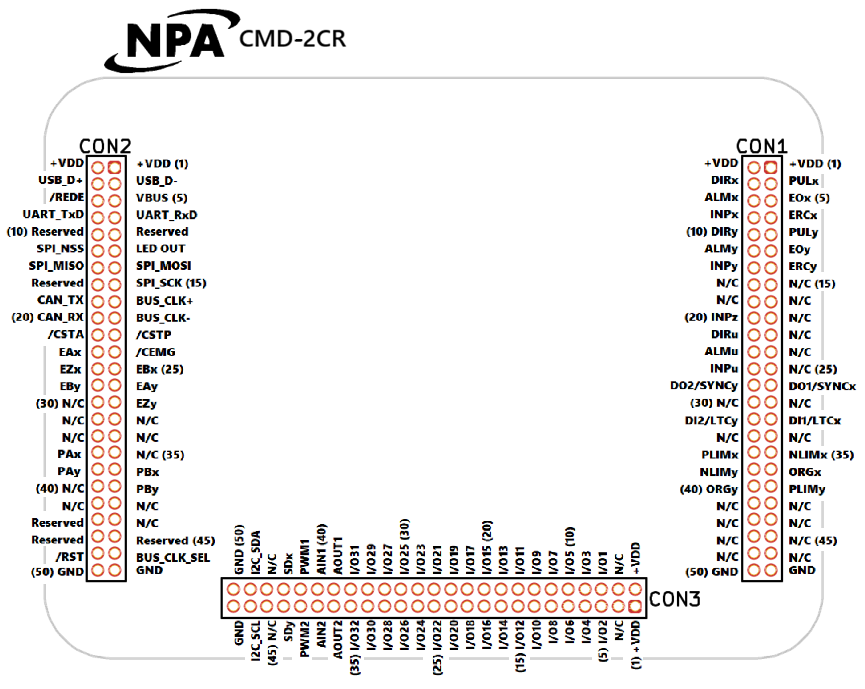
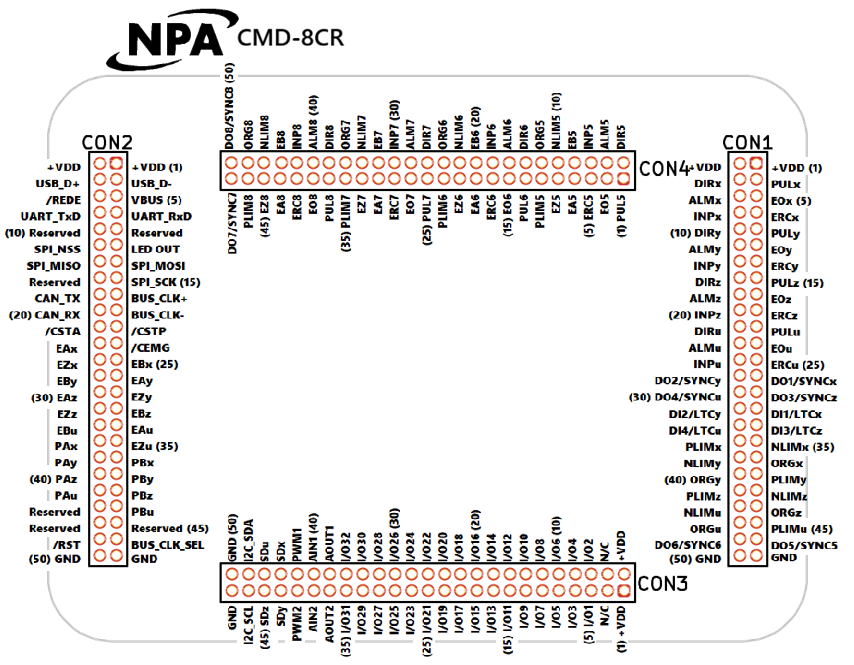
This section has a pinout diagram for each model (CMD-2CR, CMD-4CR and CMD-8CR) showing what every pin does.
Viewing direction
The diagrams are drawn as if you were looking down from the top of the unit and could see through it to the connectors on the underside, the way the pins are laid out on the PCB. This is the mirror image of the underside view shown on the Connectivity page.
Vertical connectors (CON1 and CON2)
- Pin 1: top right
- Pin 2: top left, next to pin 1
- Pin 3: directly below pin 1
- The numbering continues downward in the same pattern.
Horizontal connectors (CON3 and CON4)
- Pin 1: bottom right
- Pin 2: top right, directly above pin 1
- Pin 3: directly to the left of pin 1
- The numbering continues to the left in the same pattern.
Every fifth pin (5, 10, 15 and so on) is marked on the diagrams to help you count.
How pins are written in this manual
Each pin is written as the connector number, a dash, then the pin number. For example, pin 22 on CON1 is 1-22, and pin 48 on CON3 is 3-48. CON4 on the CMD-8CR follows the same format, so pin 10 on CON4 is 4-10.
Pinout diagrams by model
< Section Home | Home | Next SubSection >