
6.0 PMX-2ED-SA Migration Quick Guide
This page is currently under development. As we near release of the CMD-2ED-SA, check this page for the most current information.
When migrating from the PMX-2ED-SA, it is recommended to consider the CMD-2ED-SA.
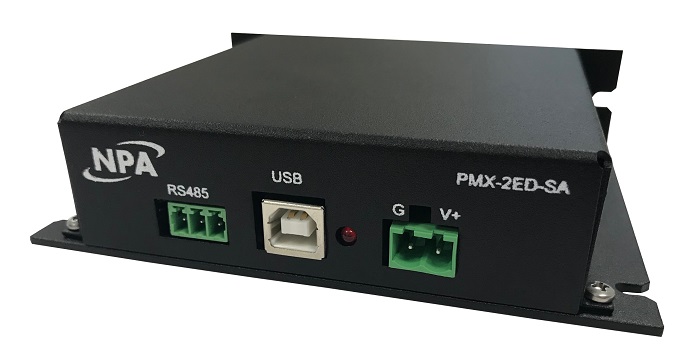
PMX-2ED-SA
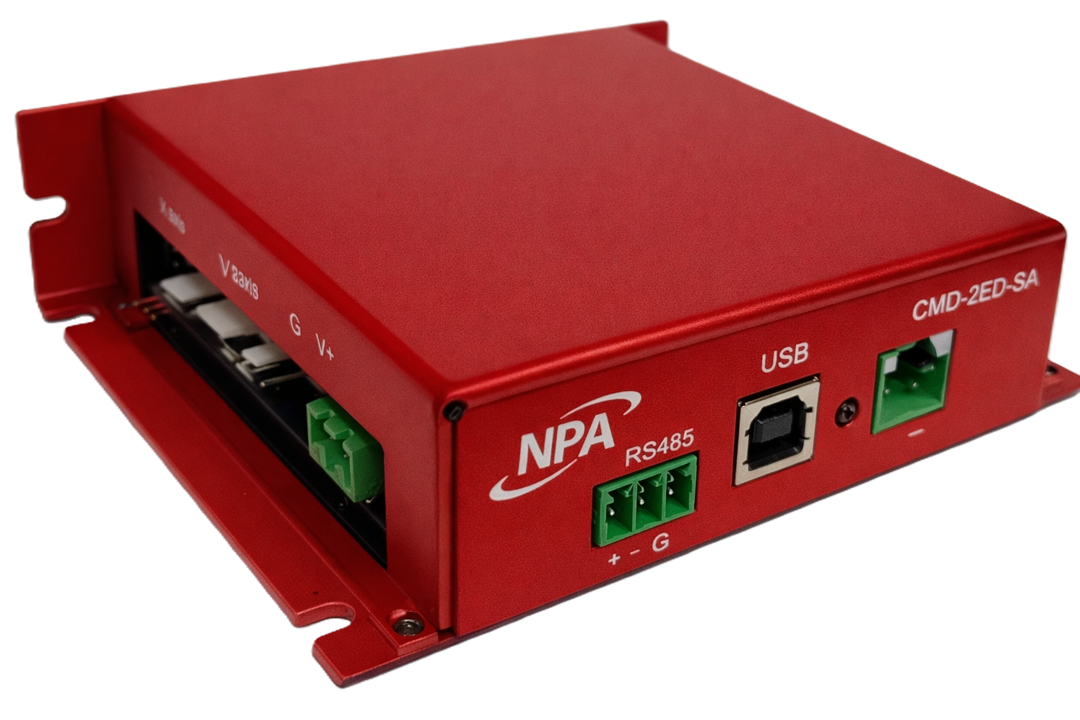
CMD-2ED-SA
The CMD-2ED-SA is designed to be backward compatible with the PMX-2ED-SA.
The CMD-2ED-SA replaces the PMX-2ED-SA two-axis standalone stepper controller and driver. This guide lists every difference that can affect an existing PMX-2ED-SA application, so you can plan the replacement. Internal design changes that do not affect how the product is installed, wired or programmed are not listed.
The CMD-2ED-SA fits the same enclosure footprint and uses the same connectors and pinouts as the PMX-2ED-SA. Most installations can swap the unit without rewiring. The main items to check are the driver current jumpers, the digital output current rating, and which software interface your application uses.
Compatibility at a glance
|
Area |
Compatibility |
What you need to do |
|
Dimensions, mounting and enclosure |
Fully compatible |
Nothing |
|
Front and side panel connectors, motor cable 210-291-01 |
Fully compatible |
Nothing |
|
50-pin Control/Encoder I/O connector |
Compatible. Pins 20 and 24 are now latch inputs |
Check that nothing is wired to pins 20 or 24 |
|
Digital outputs |
Changed: 25 mA maximum (was 90 mA) |
Check the current of every load on DO1 to DO8 |
|
Driver current setting (inside the unit) |
Changed: new values, new 1.27 mm jumpers |
Set the current jumpers before first power-up |
|
Microstep setting (inside the unit) |
Same jumper table, new 1.27 mm jumpers |
Set the microstep jumpers before first power-up |
|
Encoder and limit/home inputs |
Fully compatible |
Nothing |
|
Analog inputs |
Compatible, higher resolution (12-bit) |
Check AI scaling if you use the AI command |
|
RS-485 wiring |
Same pinout. Termination now fitted on every unit |
Review long multi-drop networks |
|
USB software using PerformaxCom.dll and SiUSBXp.dll |
100% compatible command set |
Install the CMD-2ED-SA compatible DLLs |
|
RS-485 software, or USB using CMDHidApi.dll |
Commander command set |
Update commands (see Software Differences) |
|
Standalone programs |
Not binary compatible |
Recompile and download your programs |
Differences between the CMD-2ED-SA and the PMX-2ED-SA:
See the Commander Manual and the NPA Command Reference for command structure, operational details, firmware updates, software tools, and additional support resources.
Download the PMX-2ED-SA manual.
Download this article as a PDF or CHM (native windows help file).
Last updated Friday, October 30, 2026
Sign up for notices of updates on the Commander support site by filling out the form in this link.
https://support.nipponpulse.com/downloads/pmx/