
3.1 Configure Amplifier
Complete all steps on this page before proceeding to the next topic.
On this page
- Open Amplifier Setup
- Review Drive Settings
- Motor Family and Motor Type
- Configure Feedback Options
- Brake/Stop Configuration
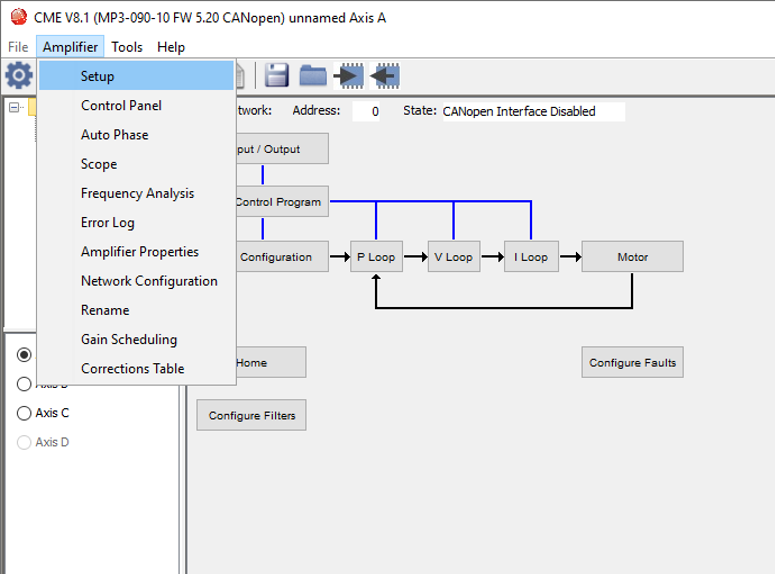
- Open the Amplifier tab in the CME software.
- Click Setup.
2. Review Drive Settings
The Setup window displays the current configuration parameters for Axis A of the drive.
This section shows the values that are already programmed into the amplifier, including motor type, commutation method, feedback type, and operating mode.
Click Change Settings to continue.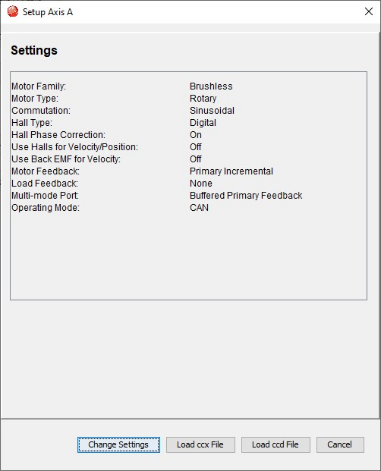
3. Motor Family and Motor Type
- Select the Motor Family you are using.
- Select the Motor Type you are using.
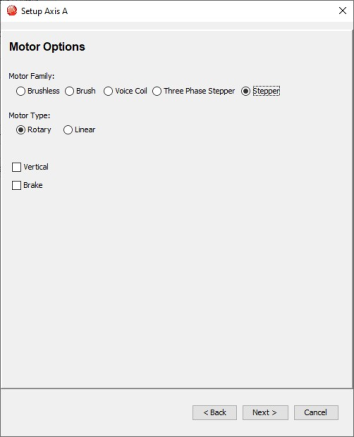
- Click Next.
On the Feedback Options page, configure the parameters required for this stepper motor setup only.
Note: This motor is equipped with an incremental encoder, so set the Motor Feedback option to Incremental. Other parameters on this screen are not required for this configuration.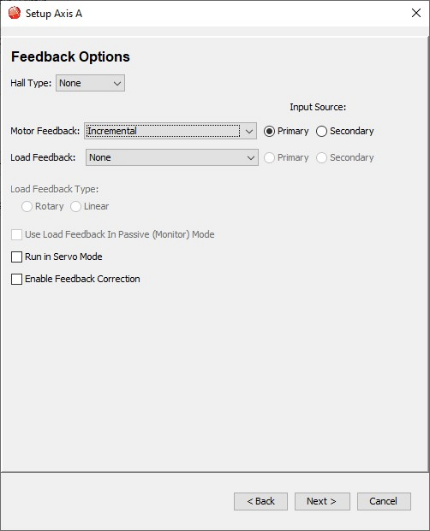
- On the Motor Feedback page, enter the correct specifications for the incremental encoder attached to the stepper motor.
This encoder has:
1000 lines per revolution
4000 counts per revolution (after quadrature)
Enter these values into the corresponding fields.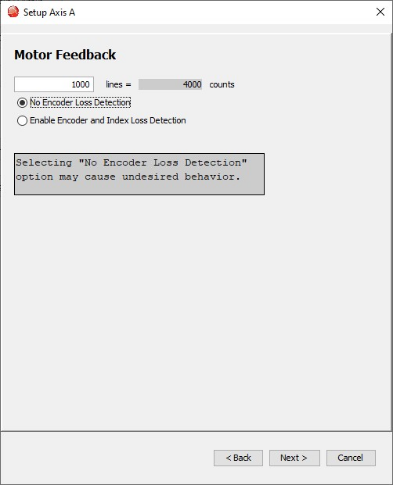
- Select No Encoder Loss Detection unless your system requires monitoring for encoder signal loss.
- Click Next.
- On the Encoder Error Filter page, leave all parameters at their default values for this setup.
The default configuration provides sufficient error handling for a standard incremental encoder and does not require adjustment.
Verify:
Consecutive Error Limit = 0
Error Window Threshold = 0 counts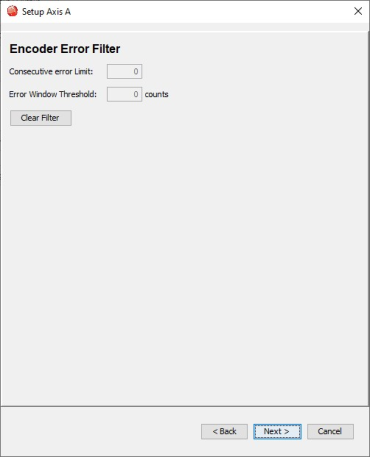
- Click Next.
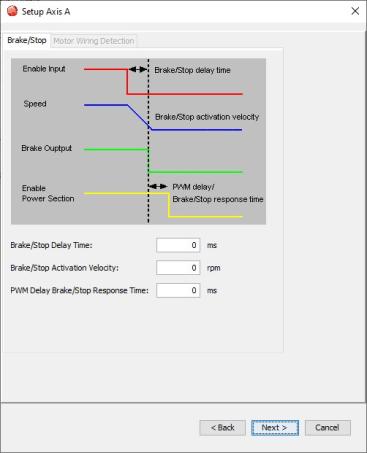
On the Brake/Stop settings page, leave parameters at default values for this setup.
All parameters can remain at their default values, as braking control is not used in this configuration.
Verify:
- Brake/Stop Delay Time = 0 ms
- Brake/Stop Activation Velocity = 0 rpm
- PWM Delay Brake/Stop Response Time = 0 ms
- Click Next.
- On the Operating Mode Options page, configure the operating behavior of the drive.
- Operating Mode
Set the operating mode to Position.
This enables position-based control for the stepper motor. - Command Source
Set the command source to Digital Input.
This allows the drive to receive position commands through external digital input signals. - Digital Input Source
Refer to the settings shown in the image.
For this example, High Speed Inputs is selected.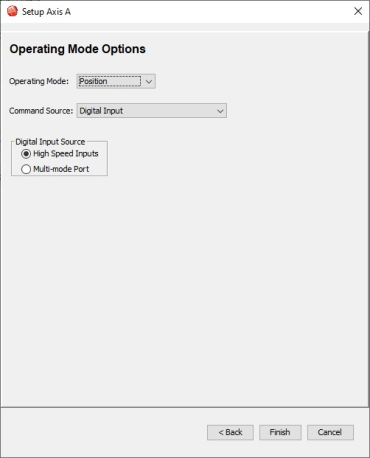
- Click Finish.
A confirmation window opens prompting you save to Amplifier Flash.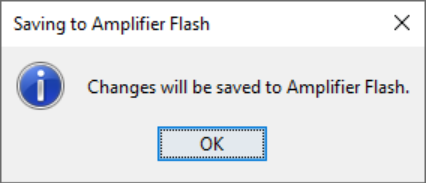
- Click OK.
- Click OK on the confirmation message to save to Amplifier Flash.
Configuration changes are permanently stored and retained even after power cycling.
Return to Top