
ARC – Circular Interpolation (Arc)
Starts an arc interpolation for [axis1] and [axis2].
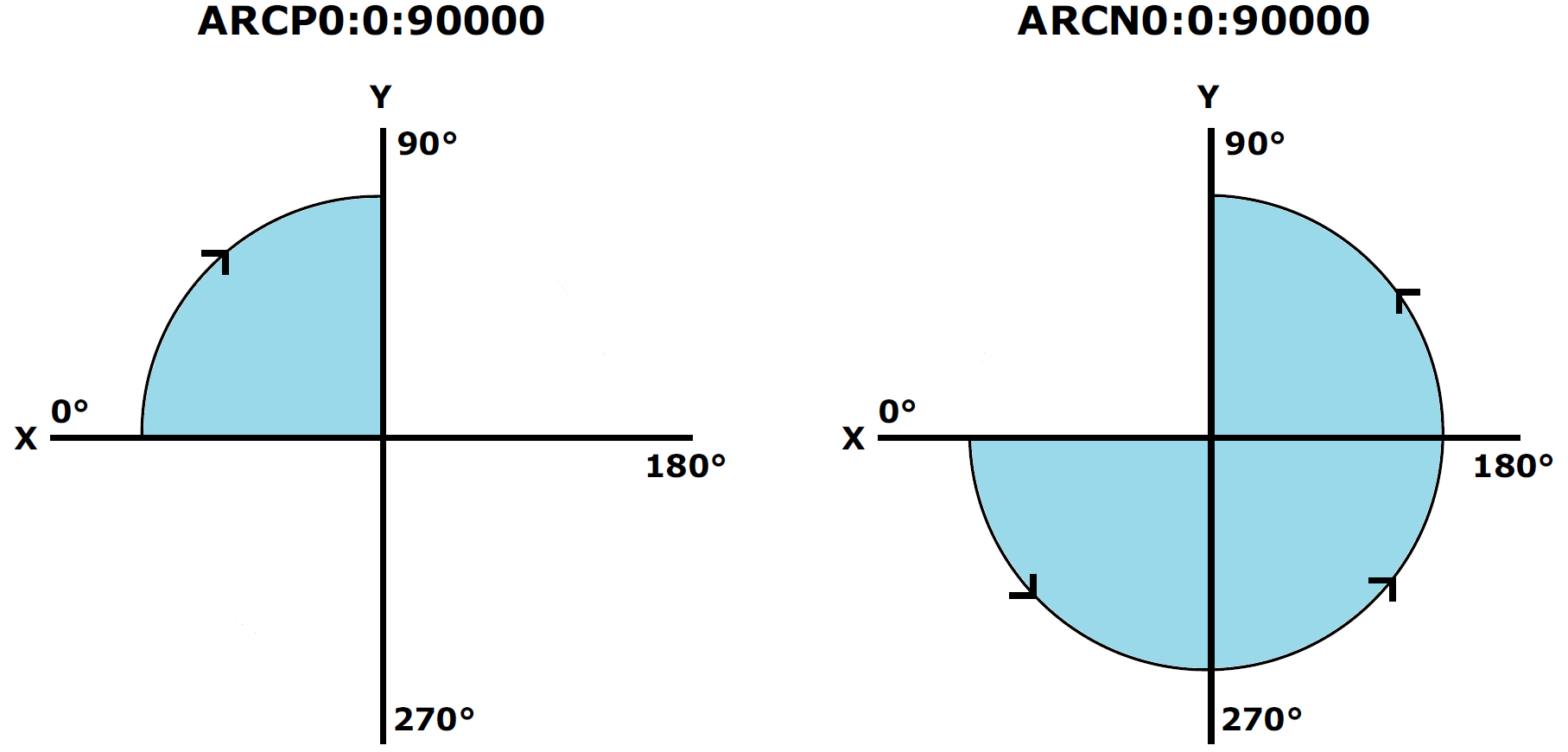
Arcs are similar to a 2-axis circular interpolation operation. The difference between them is that the endpoint position of the arc interpolation is arbitrarily set on the trajectory of the circular interpolation, thus creating an arc. An arc can be either the CW or CCW direction. All ARC moves are interpreted as absolute moves.
Access: Write
Category: circle
Applies to: 2CR, 4CR, 4ED, 4EX, CM3, 8CR
ASCII/Standalone ARC[axis1][axis2][P/N][C1:[C2]:[theta]
The Commander series allows arcs to be drawn using any 2 axes.
Syntax
Write
ARC[A1][A2]P[C1]:[C2]:[Ɵ] *for CW motion
ARC[A1][A2]N[C1]:[C2]:[Ɵ] *for CCW motion
|
A1][A2] specifies axis 1 and axis 2 (X, Y, Z, U), N or P specifies direction of motion, with N = CCW, and P = CW, [C1]:[C2] specifies the arc coordinate center of [A1],[A2] (32-bit value), [Ɵ] specifies the end of position of the arc (unit = 0.001 degrees, 0-360,000) |
Reply
Command is accepted and executed
Write
OK
Command cannot be processed
An error message is returned. See Error Codes
Example
Write
ARCXZP0:100:90000 *Arc interpolation of X and Z axis, center X = 0, Y = 100, 90- degree arc in the CW direction
Note
Other conditions
- Joystick operation is disabled
- Manual pulse generator (MPG) operation is disabled
- Current operations are stopped
- Error status is off
See also
ARCT, CIR, CIRT
Commander Manual