
PlayNote Sample
In the following example, we illustrate Code Block Builder using a script called PLAYNOTE (a small, simple script which turns on or jogs a stepper motor to play a sound).
PLAYNOTE script: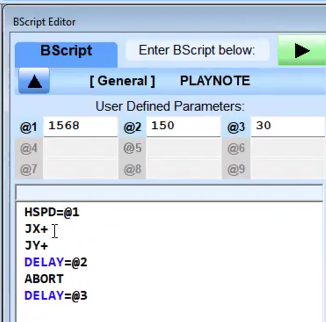
- Open the BScript Editor.
- Click the Code Block Builder button.
- Click the Load Code Blocks button, then select a script (in this example, MY_MUSIC.ncb).
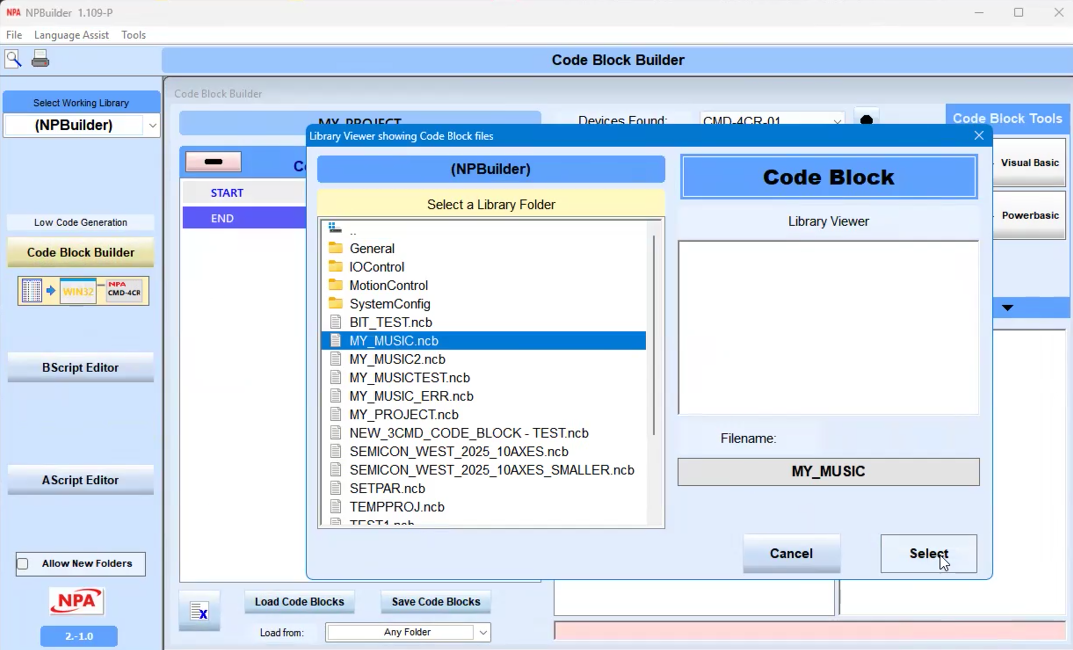
The script opens in the Code Block Builder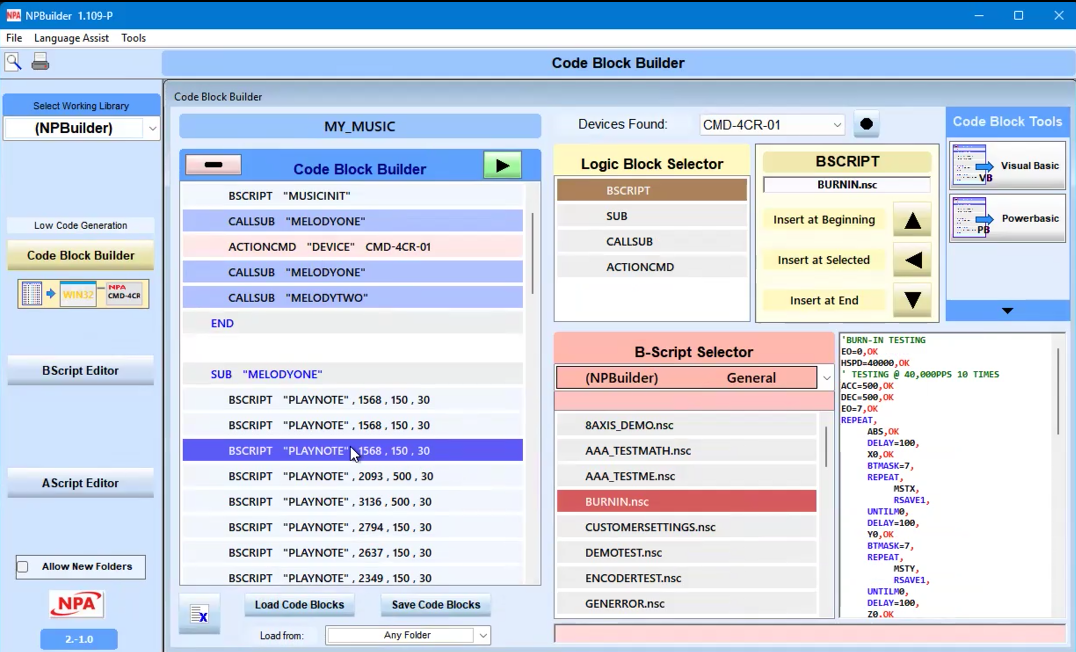
The subroutine Melodyne reuses the same script for multiple lines but uses different parameters.
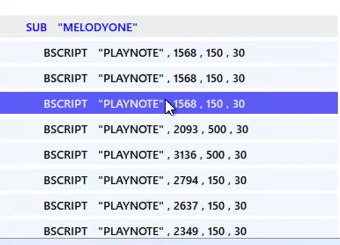
Double-click a line to view the Original/Actual script. This screen also displays the scrip parameter values. These values can be edited here. Click Update Parameters Now to save changes.
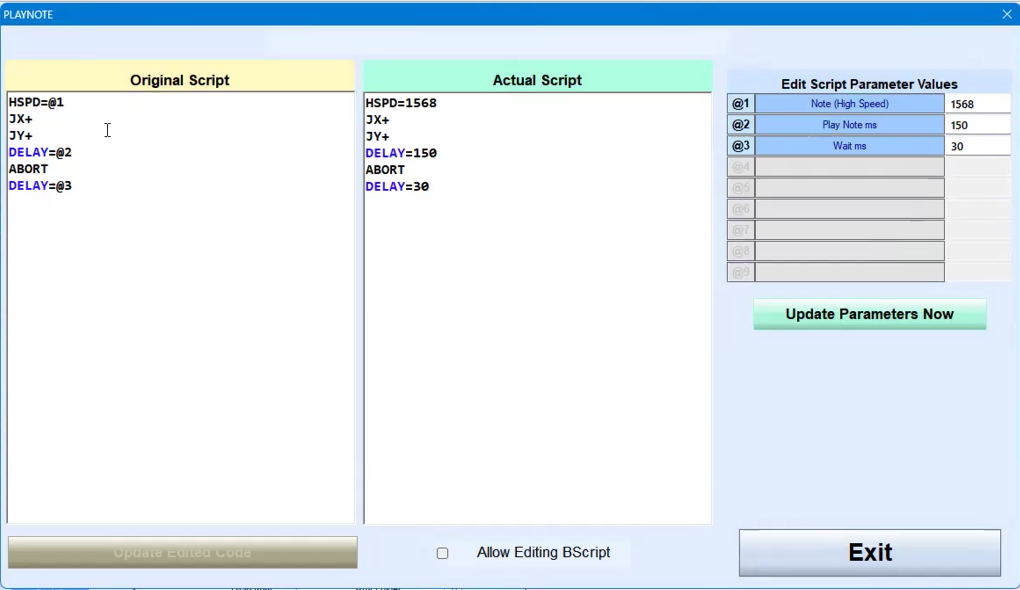
Click the Exit and Save button to close this screen.