
3.0 Code Block Builder
The Code Block Builder is a project level editor for building a complex project by combining smaller Bscripts . There is a limited user interface engine, but this engine is for help in making prototyping easier and not for a final UI for a product. A project is created using the provided Logic Blocks such as a Bscript (use a Bscript with unique parameters passed to it), SUB (define a new subroutine), CALLSUB (call an existing subroutine and some logic such as comparisons can be done) and ACTIONCMD (non motion control tasks such as UI definition, device selection, keyboard input).
Projects can be run in real time by clicking the Play / RUN button. This is for development and prototyping or even running a Demo machine. For a final product one would convert the project to usable source code for a target programming language. This is what the Plugins are for. NPBuilder will come with a few code generation plugins for some languages, but the Plugins are built upon an open API which will allow you to create your own custom code generation tools for any programming of your choice.
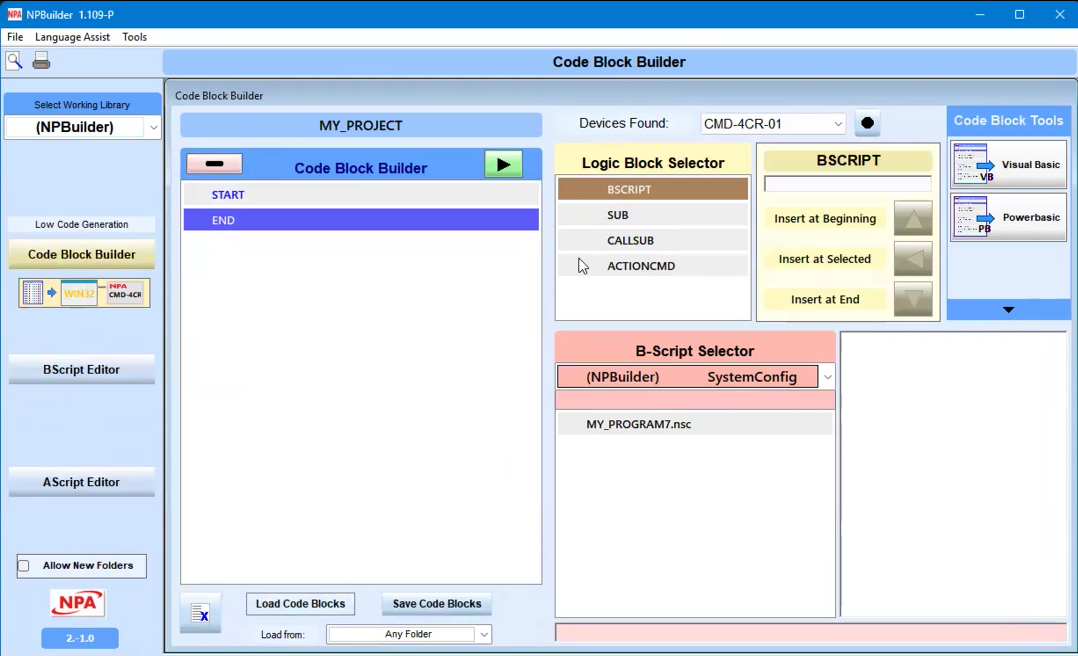
When you create BScripts, you can define parameters. Code Block builder is used to combine BScripts.
The Code Block Builder screen contains these sections:
Code Block Builder
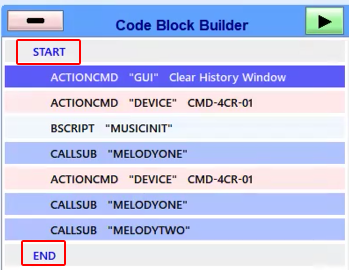
Start and End define where the projects begins and finishes. THe script commands are within the the block.
B-Script Selector
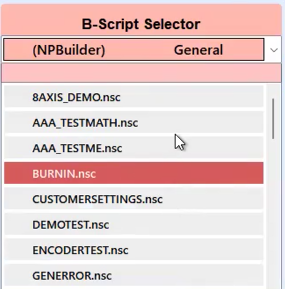
Use this section to select the BScripts that will be added to the Code Block.
Logic Block Selector
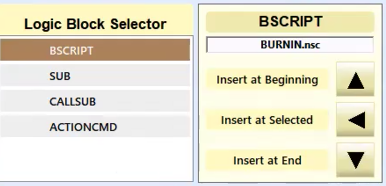
When you have selected a Bscript, use the Logic Block Selector to add the script to the Code Block Builder. You can define the block, and choose where in the builder to insert it.
BScript Code
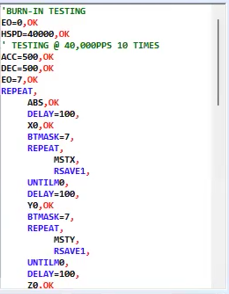
The Bscript code is displayed in the section next to the selector once a selection has been made.