
3.0 AScript Editor
AScript is a BASIC-like scripting language which can be compiled to PCode. It includes AScript Motion Control Commands, and a BASIC Command Set.
Interface
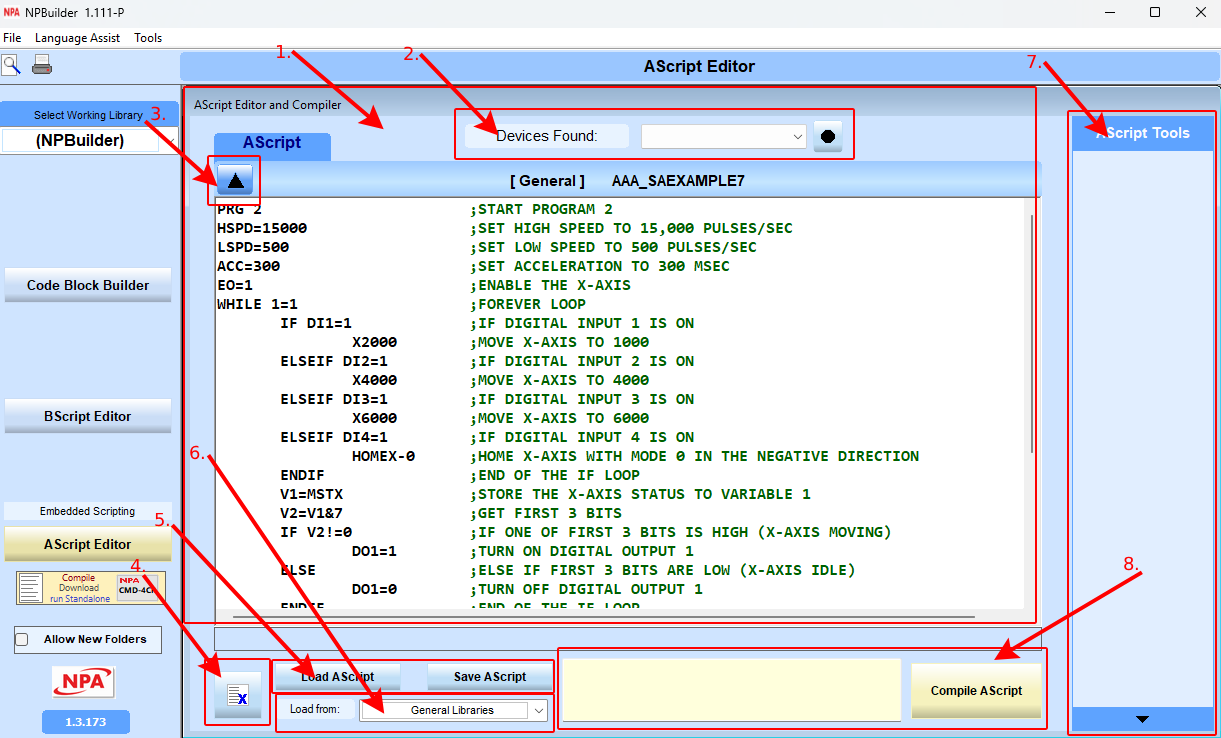
Use the AScript Editor to write (and compile) AScript programs.
- AScript Editor
Write (and compile) AScript programs. - Select Device
Select the device to download a compiled script to. The button to the right is the Refresh button which refreshes the device list. - Input Window button
Opens the AScript Procedure Info window where a name and description are assigned to a script, a category is selected, and parameters in the script are defined.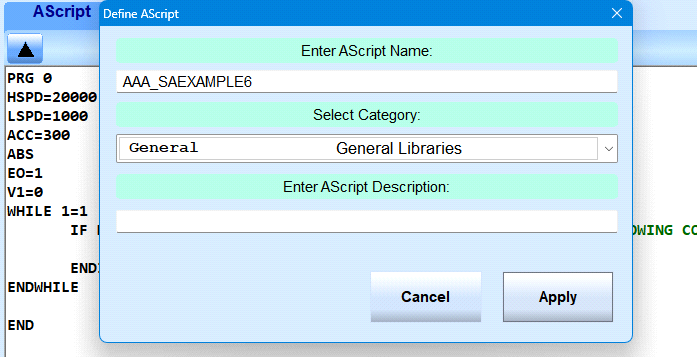
- Script Definition
- Name a script file
- Select a library folder
- brief description of the script.
When a script is saved this information is included in the file. NPbuilder uses an XML like file format for storing AScript files.
- Clear Script
Clear the script editor. - Load Script / Save Script
Load and save scripts
There are four categories script files can be saved to:
- System Configuration
- LibrariesMotion Control Libraries
- IO Control Libraries
- General Libraries
- Select Script to Load
Select a folder category for saving and loading script files. - AScript Tools
The AScript Tools window is where custom plugins are listed. NPbuilder has an Open API for writing plugins (32 bit Windows DLL) which it can load to add features to NPBuilder. Use any included tools or create plugins. - Compiler message and Compile Button.
The AScript window is where the compiler returns error messages or a compile success message.
Click the Compile AScript button to display the compiler window.
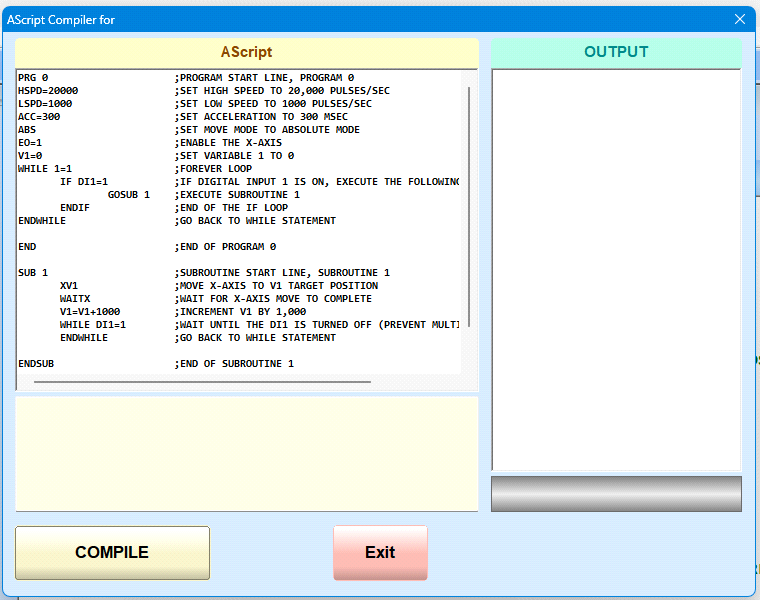
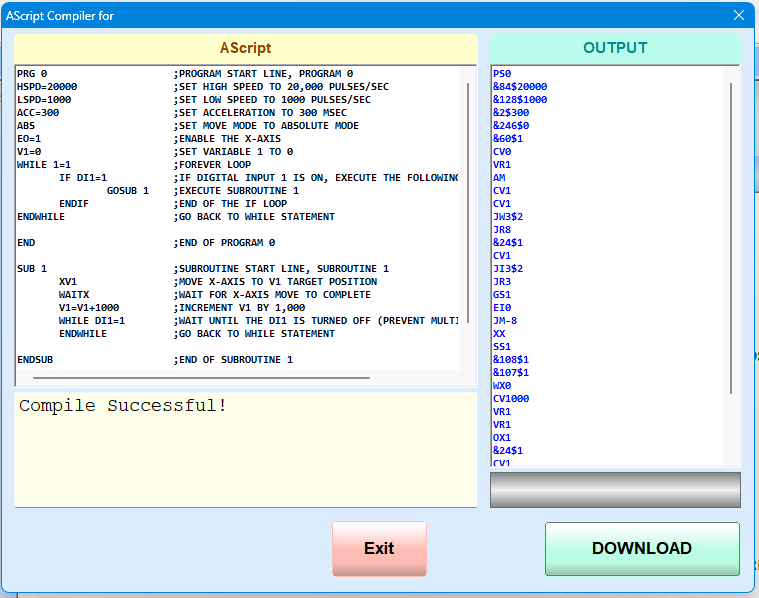
Compiler results
- If there is an error, the compiler flags the problem script line.
Click Exit to fix the script. - If the script compiles successfully, click the Download button to download the compiled script to the Commander motion controller. The output box is the actual PCode generated by the compiler. If there are issues with compiling a script this output window may be useful in finding any errors in the compiler itself.
- The AScript Tools window is where custom AScript Plugins are listed. NPbuilder has an Open API for writing plugins (32 bit Windows DLL) which it can load to add features to NPBuilder.