
V305BL+ Driver/DLL/firmware updater
How can I tell the version of the files I currently have?
Driver:
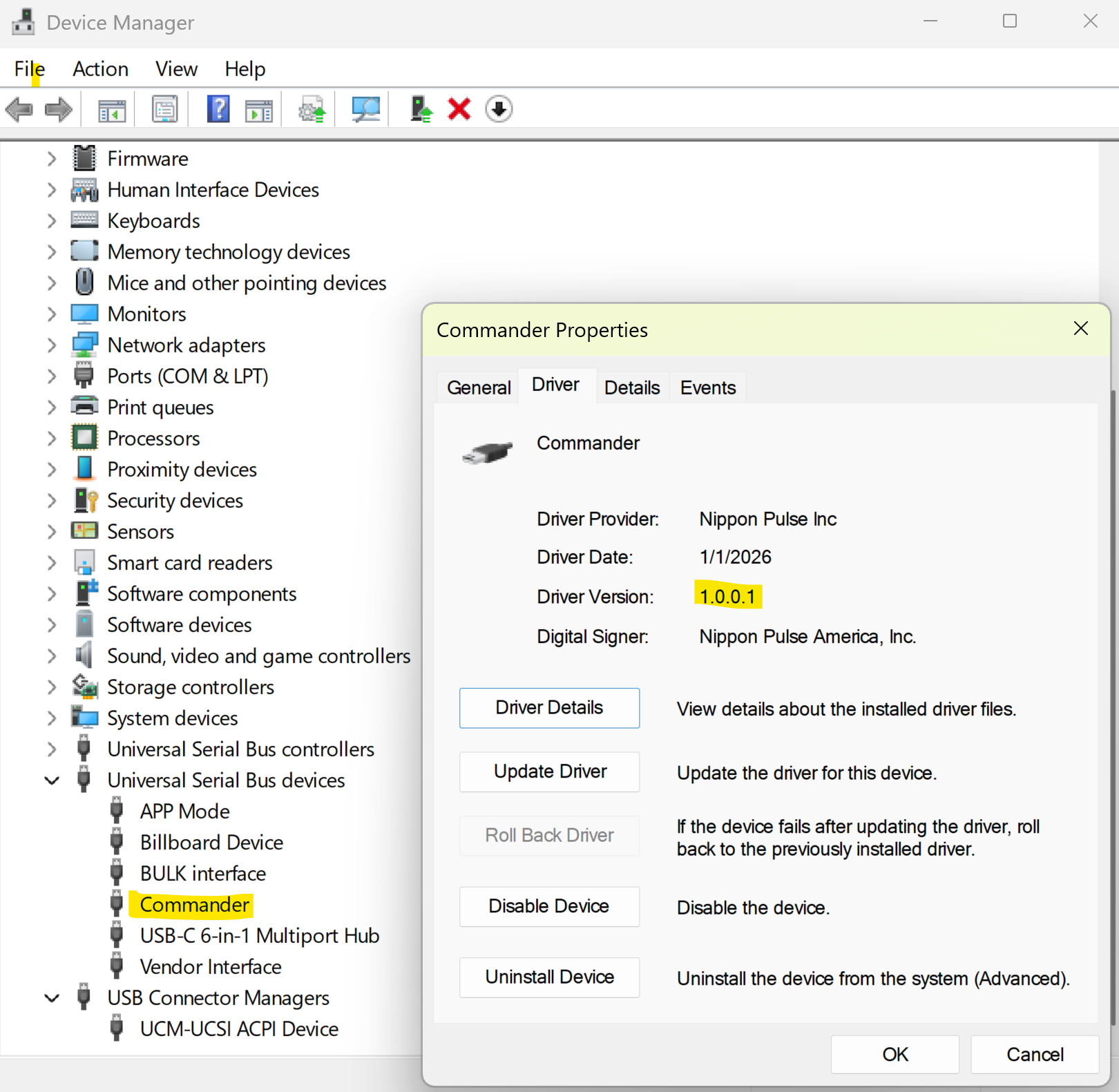
Once the driver has been installed, and you are using a firmware version of at least 305, the Commander should show up as a USB device named "Commander." To get the driver version, right click the "Commander" device and choose "Properties." Inside of the properties window, click the "Driver" tab and you will see the "Driver Version" listed.
DLL:
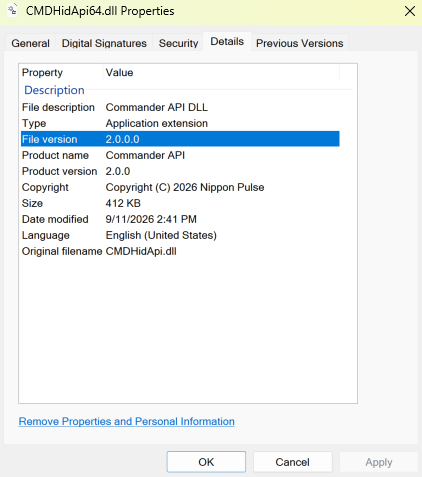
The driver installation will copy the Commander and PMX DLLs into the folder "C:\Users\Public\Documents\Nippon Pulse\Commander Series\Development DLL." There are Win32, Win64, and Linux versions for each DLL. To verify the version, right click the DLL file such as "CMDHidApi64.dll" and click on "Properties." Inside of the properties window, click the "Details" tab and you will see the "File Version" listed. To use the new DLLs with your applications, such as Commander Control Utility, copy the DLLs from the "Development DLL" folder into the application folder.
Commander Firmware Updater:
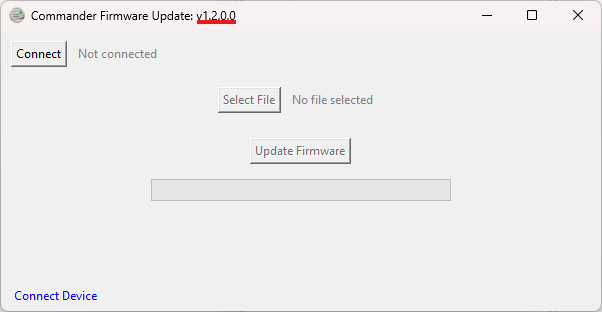
The version of the Commander Firmware Updater is shown in the title bar. See the image below. If the copy of the Commander Firmware Updater you have installed does not show a version number, it will not work with V305BL+ firmware. Please uninstall it and install V1.2.0.0 or newer. The new Commander Firmware Updater is backwards compatible.
Download the new files below:
Driver : The new driver
DLL: The new DLL
Commander Firmware Updater: