1.0 AScript Editor
Ascript is a hybrid scripting language which can be compiled to Pcode. It includes AScript Motion Control Commands, and a BASIC Command Set.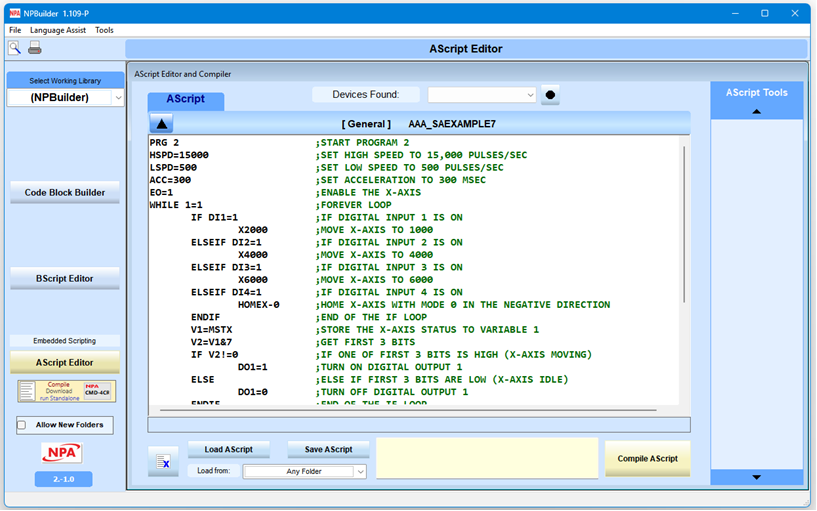
Pcode is a machine code like language the Commander can interpret and use to execute a program faster than if it had to translate a program from a human readable script format one line at a time. When NPBuilder compiles a script, a single line of code may become several lines of Pcode; still, it is faster for the Commander to process. When the Commander reports it can only store limited lines of code, it is referring to how many lines of Pcode the script is converted into. So, for example, if the Commander can store 6000 lines of Pcode, then scripts should only be around 1000 to 1500 lines of Ascript.
The Ascript Editor is where you write (and compile) Ascript programs.
Key functions:
- Load and save scripts from the disk drives.

- Clear the script editor.

- Define the current folder category for saving and loading script files.

There are four categories you can use for saving script files: - System Configuration
- LibrariesMotion Control Libraries
- IO Control Libraries
- General Libraries
- Available Commander controllers
Select a device are currently working on and to download a compiled script to. The button to the right is the Refresh button which will refresh the device list.
- Script Title Bar
The name of your current script is in the Title Bar displays the name of the current script. The Arrow Up button on the top left opens the Script definition screen.
- Script Definition
- Name a script file
- Select a library folder
- brief description of the script.
When you save a script this information is also included in the file. NPbuilder uses an XML like file format for storing Ascript files.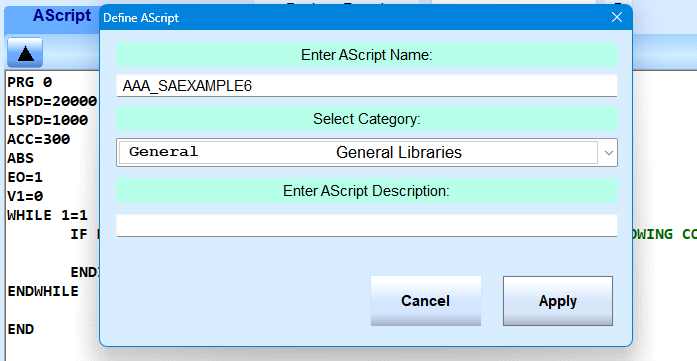
- Compiler message and Compile Button.
The yellow window is where the compiler returns error messages or a compile success message.
Click the Compile Ascript button to display the compiler window.
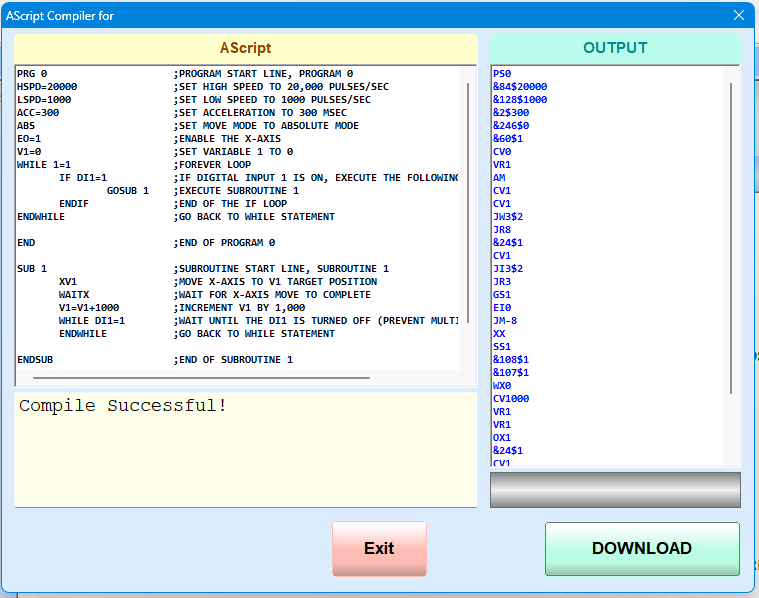
- Compiler screen
The script is displayed in the Compiler screen.
Click Compile to start.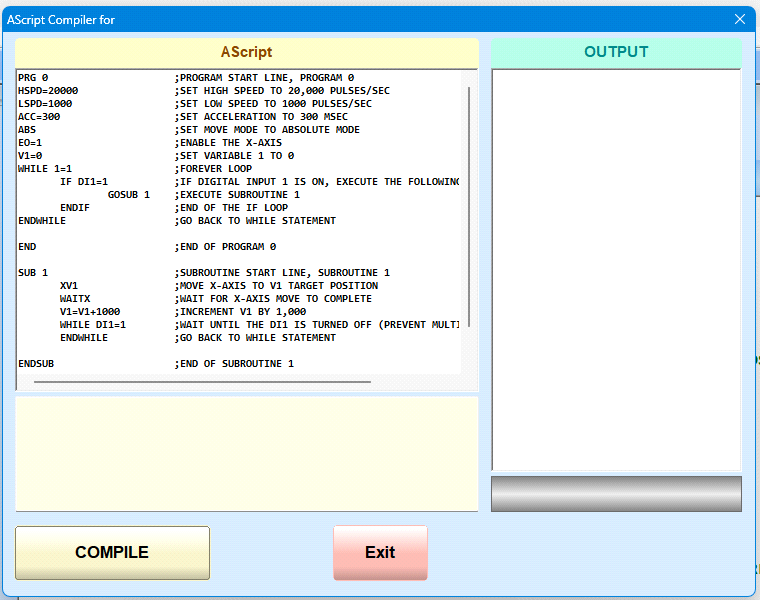
- Compiler results
- If there is an error, the compiler flags the problem script line.
Click exit to fix the script. - If the script compiles successfully, you can then click the Download button to download your compiled script to the Commander motion controller. The output box is the actual Pcode generated by the compiler. This will likely not make much sense to you, but it is there for diagnosis by Nippon. If you have problems with a script compiling properly and not working correctly, this output window may be useful to Nippon in finding any errors in the compiler itself.
- The Ascript Editor has a Tools window on the right side of the editor. This Tools window is where any custom Ascript Plugins will show up. NPbuilder has an Open API for writing plugins (32 bit Windows DLL) which it can load to add features to NPBuilder. You will be able to create your own plugins and Nippon may also provide some they create.